


Features

Work Offline - From Anywhere
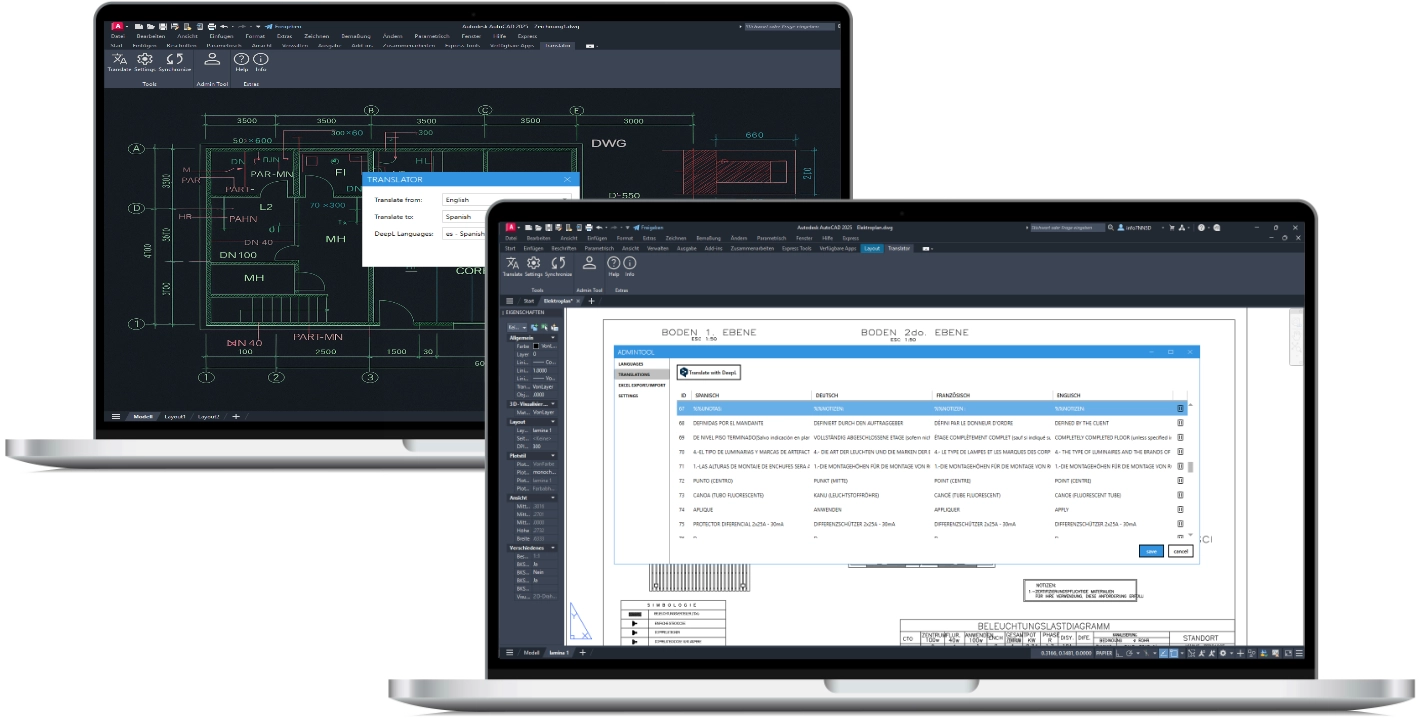
Thanks to its offline functionality, you can use CAD Translator at any time, whether in the office, on the road, or without network access.
Your translations are always available, regardless of your internet connection.

DeepL Integration
Translate texts either from your central translation database or directly via DeepL – fast, reliable, and flexible to use.
This lets you combine fixed, verified translations with on-the-fly AI translation, exactly as needed.

Automatic Text Recognition in DWG and DXF Drawings
The plugin automatically scans your AutoCAD drawing (DWG or DXF) for all relevant text elements and translates them into the selected language.
Recognized elements include attribute definitions and references, dimensions, leaders, MText, multileaders, tables, and text.

Central Data Management
Manage all translations centrally in a single database.
New languages and texts can be created and organized in a structured way, locally or on the network.
Import & Export of Translations
Import existing translation data conveniently via Excel or export your data for backups or further processing.
Expandability
Is the current feature set not sufficient for your needs? CAD Translator is designed to be expandable to meet individual requirements. Contact us and we will be happy to help.
Video
Translate Quickly and Easily
Translate your drawings exactly the way you need
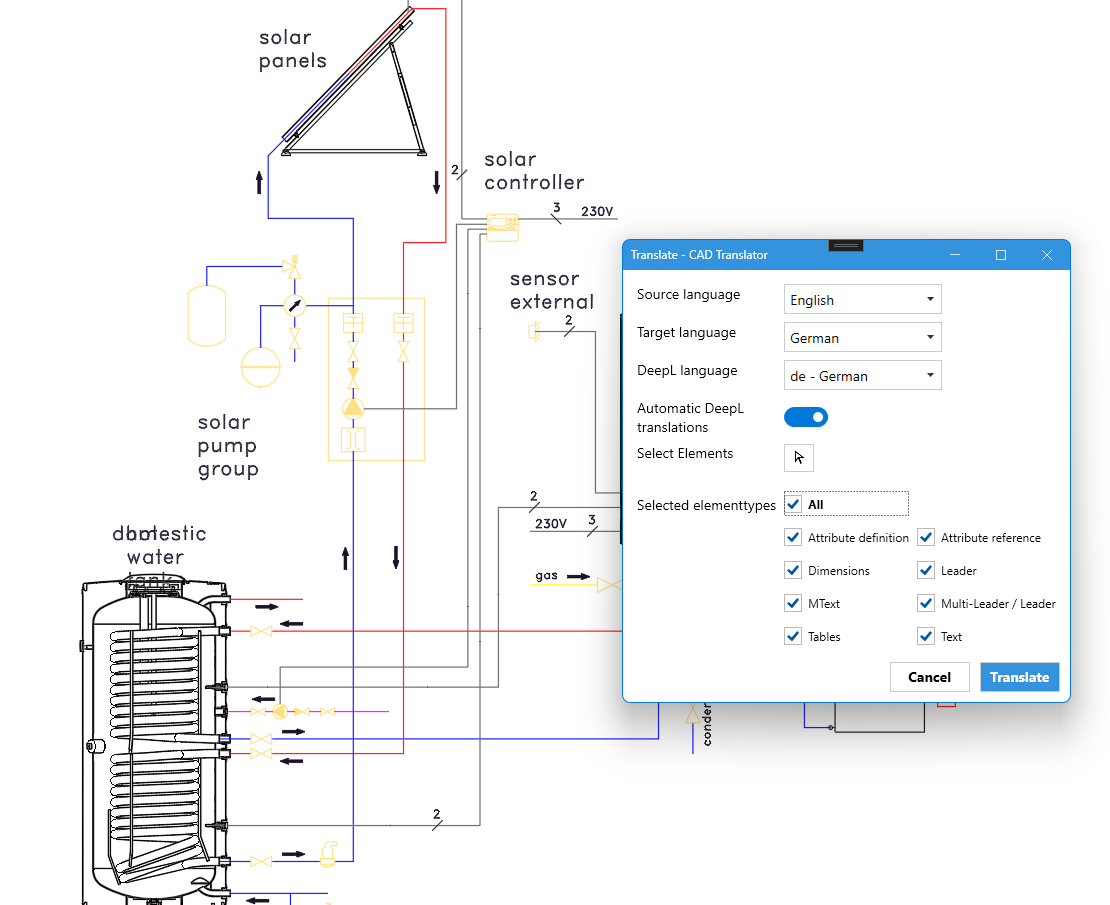
The translation feature gives you precise control over how your drawings are translated.
Choose the current language of your drawing as well as the target language.
If texts that are not stored in your database should be translated automatically, you can also activate direct translation via DeepL. Your defined texts always take priority.
Define exactly which types of elements in your drawing should be translated, or select a specific part of your drawing.
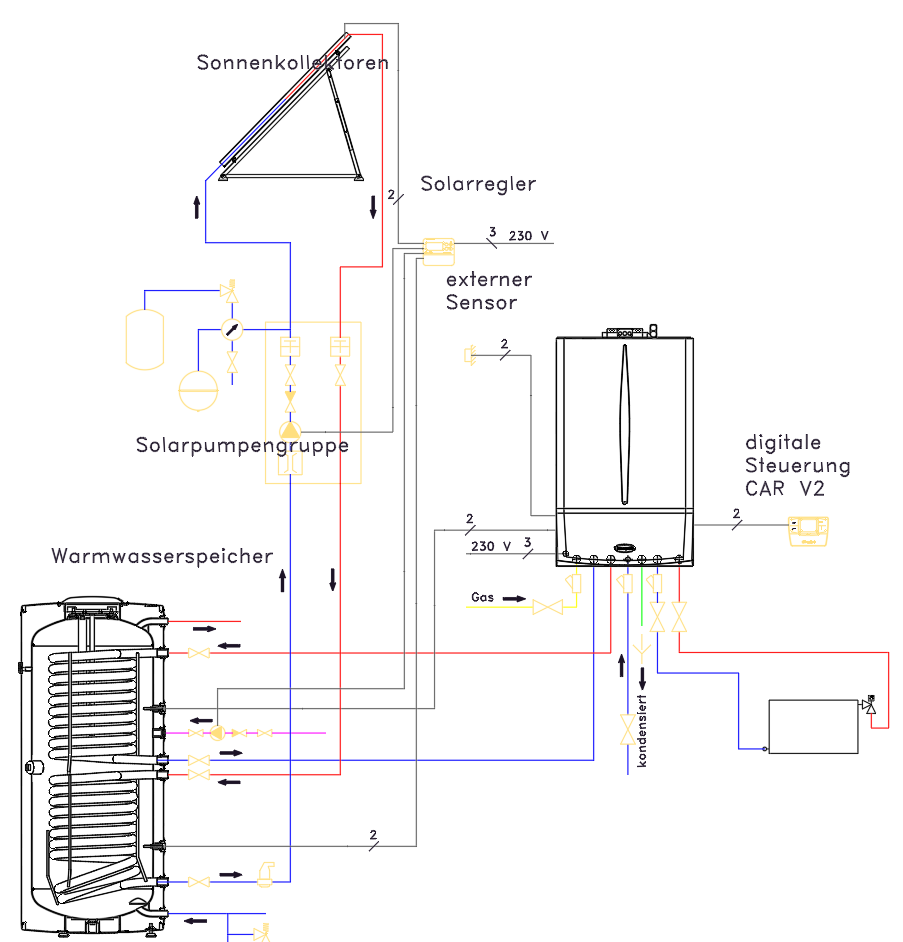
Import and Export of Translations
Edit or import your texts in Excel files
The Excel export and import functions allow you to import existing translations into CAD Translator with ease.
The translation database within CAD Translator can also be exported in full so that it can be edited externally and imported again later.
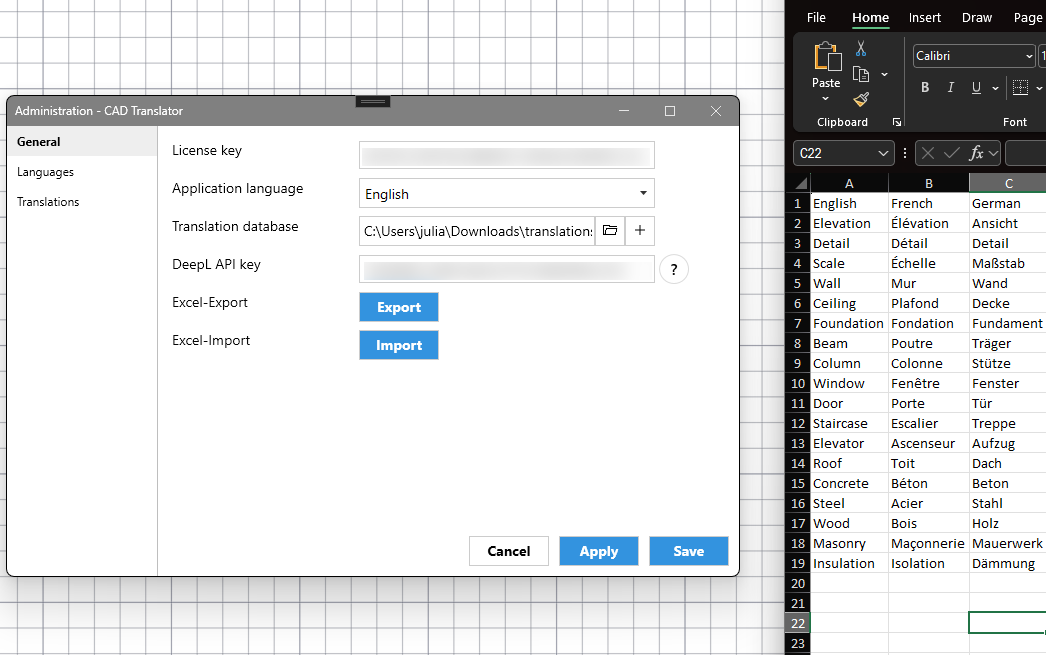
Language Management
Manage which languages you need
The language management in CAD Translator allows you to define which languages you need yourself.
Add more languages or remove existing ones.
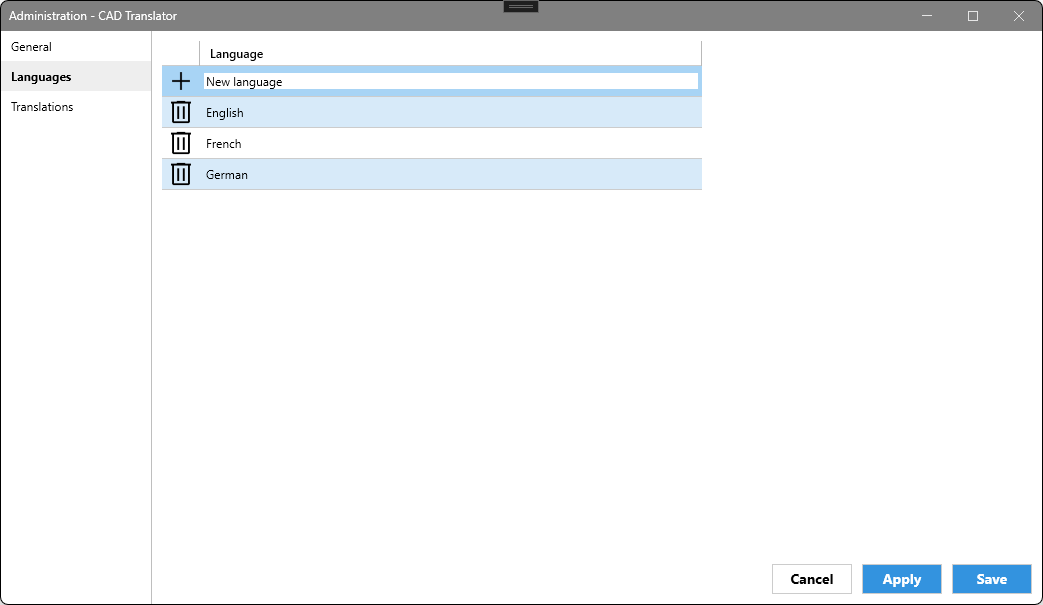
Intuitive Translation Management
Manage translations easily and centrally
The translation management offers an easy way to define your translations precisely.
Translations can be defined for each configured language. New texts can be added conveniently.
Via the DeepL integration, you can add missing texts or redefine all texts of a language.
Work with Multiple Databases or Offline
Use different translation databases for each project
CAD Translator allows you to work flexibly with your translation databases.
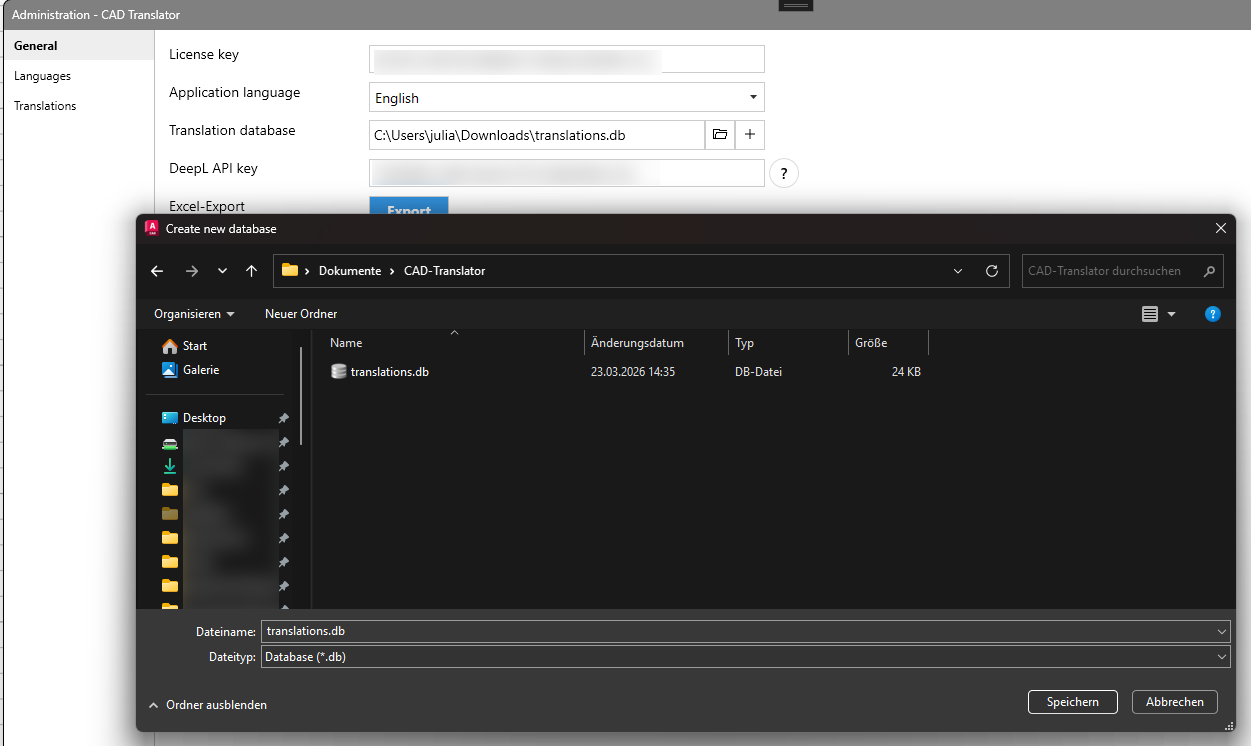
If you want to define translations only for one project, you can create a new database.
You can also store your database on a network drive so that several employees can work with the same database at the same time. The sync function then allows you to synchronize it to your computer and use it for offline work.

Customised programming is our home turf. In specialised sectors such as industry, technology and construction, standard software quickly reaches its limits. Kleen Software GmbH develops customised solutions - precisely tailored to your processes and goals. From consultation to implementation, your wishes take centre stage. Feel free to contact us!
Pricing
CAD Translator
MONTHLY
Start immediately
30 days free
Monthly billing
CAD Translator
YEARLY
Start immediately
30 days free
Annual billing
Frequently Asked Questions
Instead of searching for every piece of text and retyping it by hand, CAD Translator automatically detects all text elements in your AutoCAD drawing (DWG or DXF) and translates them preferentially from your central translation database – fast, reliable, and without manual retyping. Missing translations can optionally be resolved directly via DeepL.
That saves time on every multilingual drawing and rules out typical error sources such as overlooked or mistyped text.
The plugin scans your AutoCAD drawing (DWG or DXF) on its own for all relevant text elements and translates them into the selected language.
Recognized elements include attribute definitions and references, dimensions, leaders, MText, multileaders, tables, and text.
There is no need to manually select individual text fields.
No. CAD Translator can be used offline, so it works in the office, on the go, or without any network access at all.
Your translations are available at any time, regardless of your internet connection.
All translations live in a central database – local or networked. New languages and texts can be added directly in the application in a structured way.
Existing translation data can be imported conveniently via Excel, and exported just as easily for backups or further editing.
Both: individual users work with the local database directly on their machine, while teams access the same central translation database over the network.
Everyone involved then works with the same up-to-date translations, no matter who last edited the drawing.
CAD Translator is deliberately built to be extended for individual requirements.
Contact us – as the developers of the software, we implement additional features tailored precisely to your use case.
About us

Kleen Software has been developing CAD and automation solutions, especially for AutoCAD, since 1995 and offers customised products that are tailored to the individual needs of industry, engineering and construction. As an authorised Autodesk developer, our company is the ideal partner for making processes more efficient and driving digitalisation forward.
